Work in a draft
This guide shows you how to change the model in a draft and how to merge the draft into main. You need the editor role. A viewer can open a draft and read its diff.
Find the model switcher
Section titled “Find the model switcher”The model switcher is the button in the top bar of a project, to the right of the project name. It shows the model that the workbench shows: main, a draft, a variant or a revision.
- Select the model switcher.
- Read the list Model shown. It has the groups Drafts, Variants and Revisions · read-only.
- Select a model to show it.
The actions below the list start a draft, a revision, a variant and a comparison.
Create the draft
Section titled “Create the draft”A draft is a copy of main at one version. Main can change while the draft is open.
- Select the model switcher.
- Select New draft from main….
- Enter a Draft name.
- Select Create draft.
The workbench then shows the draft. The model switcher shows Draft and the name.
If the request fails, the dialog shows No draft was created. and the reason.
Change the draft
Section titled “Change the draft”Change the model as you do on main. Each change goes to the draft while the model switcher shows the draft.
These parts of the workbench follow the draft:
- The canvas, the detail panel and Element catalog.
- Contracts.
- Costs. The panel opens on the cost sheet of the draft.
- Review. The findings are the findings of the draft.
- Scenarios and Stress. A run uses the model of the draft.
- Assistant.
These parts do not follow the draft. Each of them says so in a note at the top of its panel.
| Panel | What it shows |
|---|---|
| Project files | Views and documents belong to the project. The model document is the document of main. |
| Create new | A diagram and a document belong to the project. |
| Import from GitHub | An import reads main and its proposals change main. |
| Promises | Promises belong to the project. A check that you run in the panel plays on main. |
| Build | The build export and Build Ready read main. |
To go back to main, select the model switcher, then main.
See the diff against main
Section titled “See the diff against main”- Show the draft.
- Select Diff and merge in the top bar. On a narrow screen, select the model switcher, then Diff against main and merge….
- Read the list. It shows each element, relationship, message, operation, channel, subscription and binding that the merge adds, changes or removes in main.
- Select a row to see its fields in main and in the draft.
The part Cost sheet says how many resources and assumptions the merge changes in the cost sheet of main.
The dialog shows the merge preview of the server. It writes nothing.
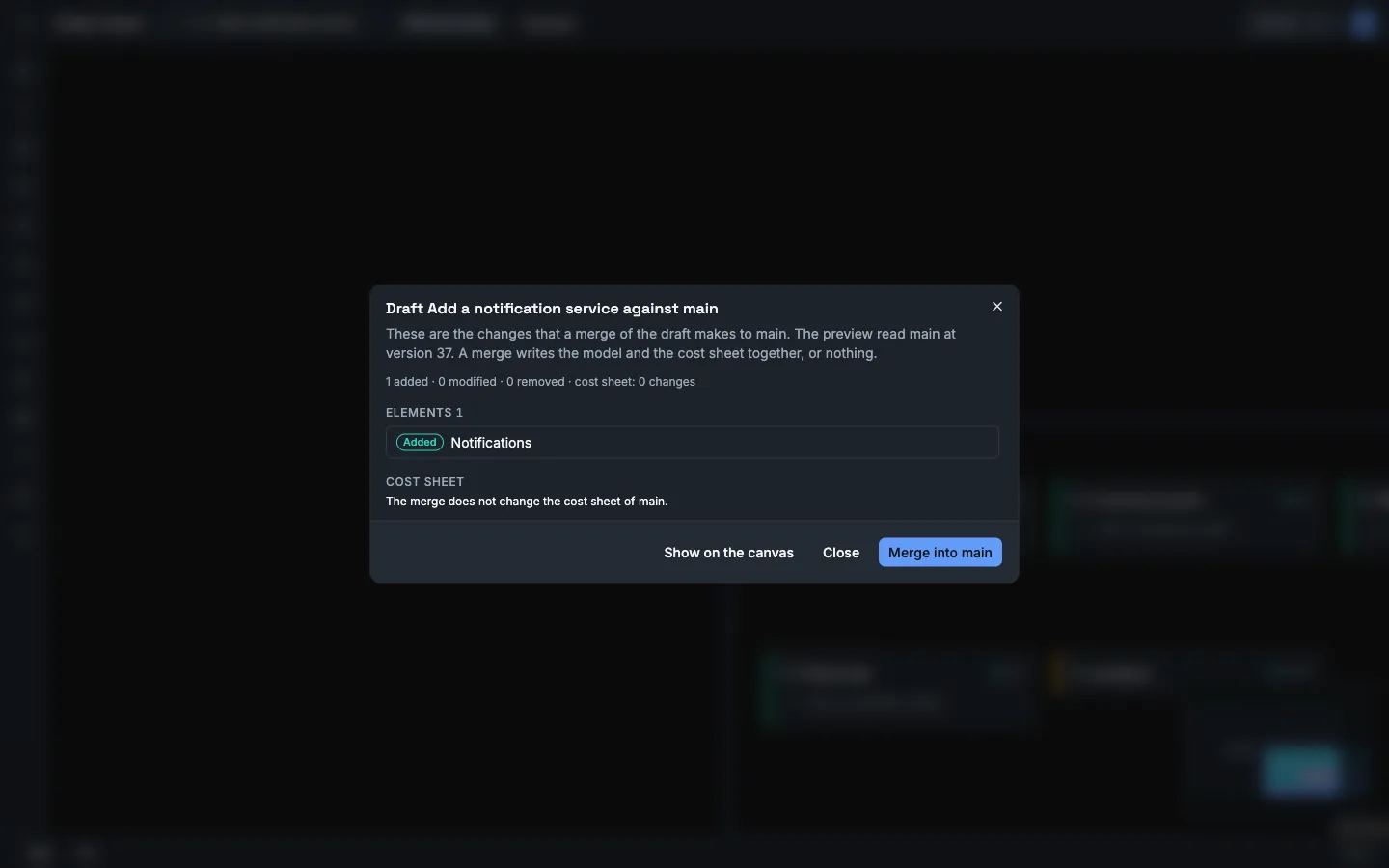
To see the changes on the canvas, select Show on the canvas. The canvas then marks each changed element. Select Close the diff in the bar at the bottom to leave this view.
Resolve the conflicts
Section titled “Resolve the conflicts”A conflict is a change that needs a decision. The part Conflicts lists each one with the reason and with the fields of the two sides.
| Reason in the dialog | Conflict kind in the API |
|---|---|
| Main and the draft changed this in different ways. | both_modified |
| One side deleted this and the other side changed it. | delete_modify |
| One side deleted an element and the other side put a child in it. | orphaned_child |
| One side deleted this and a contract of the other side names it. | referenced_by_contract |
| The owner of this operation does not exist after the merge. | dangling_operation |
| This subscription names something that does not exist after the merge. | dangling_subscription |
| This binding names something that does not exist after the merge. | dangling_binding |
For each conflict, select one choice.
| Choice | Result |
|---|---|
| Keep main | Main keeps its value. |
| Take the draft | Main gets the value of the draft. If the draft deleted the item, main deletes it. |
A conflict between the two cost sheets has no choice. The dialog shows The two cost sheets do not merge. and the reasons. Open Costs. Change the sheet of the draft or of main until the two agree. Then open the diff again.
- Give each conflict a choice.
- Select Merge into main.
The workbench then shows main, and a message says that the draft is merged.
The merge writes the model and the cost sheet together. If Vellum refuses the merge, it writes nothing, and the dialog shows Nothing was merged. and the reason.
| Reason | Fix |
|---|---|
Main has changed since preview. Please re-preview. |
Close the dialog. Open the diff again. |
The cost sheet of the draft does not merge into the cost sheet of main |
Change one of the two cost sheets until the two agree. |
| A sentence that names an item that points at nothing | The choices give a model that is not valid. Select other choices, or change the draft. |
Abandon a draft
Section titled “Abandon a draft”- Show the draft.
- Select the model switcher.
- Select Abandon this draft….
- Select Abandon draft.
Vellum discards the changes of the draft and its cost sheet. Main does not change. An abandoned draft cannot be opened again.
Use the API
Section titled “Use the API”The curl examples use the session cookie of a signed-in person in the file vellum.cookies. Use the HTTP API shows how to sign in. An agent token cannot make these calls: these endpoints are not open to agent tokens and answer 403.
Create a draft
Section titled “Create a draft”Send the request. The id is a new UUID that you make.
curl -X POST "http://localhost:8080/api/projects/<project-id>/drafts" \ -b vellum.cookies \ -H "Content-Type: application/json" \ -d '{"id":"<new-uuid>","name":"add-outbox"}'Keep id (the draft ID) and streamId (the branch ID) of the answer.
{ "id": "7f0c1a52-3f0e-4d53-9a55-0f6f4a2f6c11", "projectId": "b1b0e6b0-1a0c-4c62-8a34-2a6a2a0a7d10", "name": "add-outbox", "streamId": "2b9d2c0e-9a0b-4a47-8a53-5f1a0c7a3e90", "baseStreamId": "5a3d8f6e-0b7a-4e0e-9d0b-0c9d1a1b2c3d", "forkVersion": 42, "status": "open", "createdBy": "0d7c5b1e-6a2f-4b3c-8d9e-1f2a3b4c5d6e", "createdAt": "2026-01-12T09:30:00+00:00", "mergedAt": null, "abandonedAt": null}GET /api/projects/{projectId}/drafts lists the drafts. GET /api/projects/{projectId}/drafts/{draftId} gives one.
Change a draft
Section titled “Change a draft”Add ?branchId=<streamId> to a model request. The request then reads or writes the draft and not main.
curl -X POST "http://localhost:8080/api/projects/<project-id>/elements?branchId=<stream-id>" \ -b vellum.cookies \ -H "Content-Type: application/json" \ -d '{"id":"<new-uuid>","kind":"store","name":"Outbox","description":null,"technology":"PostgreSQL","ownerId":null,"status":"planned","parentId":"<system-id>","tags":[]}'The endpoints for elements, relationships, messages, operations, channels, subscriptions and bindings accept branchId. So do the cost endpoints, the scenario run, the stress run, the review findings and the build manifest.
A write to a draft that is merged or abandoned gets 400 with the error type invalid_branch.
To give the draft the cost sheet of main, send POST /api/projects/{projectId}/costs/copy with ?branchId=<streamId> and the body {"from":"main"}.
Add a comment
Section titled “Add a comment”curl -X POST "http://localhost:8080/api/projects/<project-id>/drafts/<draft-id>/comments" \ -b vellum.cookies \ -H "Content-Type: application/json" \ -d '{"id":"<new-uuid>","body":"Why a store and not a table in the orders database?","entityId":"<element-id>","entityType":"element"}'entityId and entityType are optional. They attach the comment to one part of the model.
GET /api/projects/{projectId}/drafts/{draftId}/commentslists the comments.PATCH /api/projects/{projectId}/drafts/{draftId}/comments/{commentId}changes thebody.DELETE /api/projects/{projectId}/drafts/{draftId}/comments/{commentId}deletes the comment.
You change and delete only your own comments. For a comment of another person the answer is 403 with You can only edit your own comments or You can only delete your own comments.
In the app, the detail panel shows the comments of an element while the diff is shown on the canvas.
Preview the merge
Section titled “Preview the merge”curl -X POST "http://localhost:8080/api/projects/<project-id>/drafts/<draft-id>/merge/preview" \ -b vellum.cookiesThe preview writes nothing. A viewer can call it.
{ "autoResolved": [ { "entityType": "element", "entityId": "c4a8f6de-58a3-4b55-93a3-1b8c0b6c5f01", "changeKind": "added", "resolvedValue": { "name": "Outbox", "kind": "store" } } ], "conflicts": [ { "entityType": "element", "entityId": "e2c1d7aa-0f43-4a8e-b8f4-6a2f0d9e7b22", "conflictKind": "both_modified", "baseValue": { "name": "Orders API" }, "oursValue": { "name": "Order API" }, "theirsValue": { "name": "Orders Service" } } ], "mainVersion": 45, "costSheet": { "changes": 1, "conflicts": [] }}| Field | Meaning |
|---|---|
autoResolved |
The changes that merge with no decision. changeKind is added, modified or removed. |
conflicts |
The changes that need a decision. |
baseValue |
The value when you created the draft. |
oursValue |
The value in main now. |
theirsValue |
The value in the draft. |
mainVersion |
The version of main that the preview read. Send it with the merge. |
costSheet.changes |
The number of resources and assumptions that the merge changes in the cost sheet of main. |
costSheet.conflicts |
The reasons why the two cost sheets do not merge. |
The values in the example are short. A real value is the full element, relationship, message, operation, channel or subscription.
An error answer has the fields type, title, detail and errors.
Send the merge. Give one resolution for each conflict: keep_ours or take_theirs. Give the mainVersion of the preview as expectedMainVersion.
curl -X POST "http://localhost:8080/api/projects/<project-id>/drafts/<draft-id>/merge/execute" \ -b vellum.cookies \ -H "Content-Type: application/json" \ -d '{"resolutions":[{"entityId":"<entity-id>","resolution":"take_theirs"}],"expectedMainVersion":45}'The status of the draft in the answer is merged.
| Status | Message | Fix |
|---|---|---|
409 |
Main has changed since preview. Please re-preview. |
Preview again. Send the new mainVersion. |
400 |
<n> conflict(s) without resolution |
Add a resolution for each conflict. |
400 |
Duplicate resolution for entity <id> |
Send one resolution for each entityId. |
409, type cost_sheet_conflict |
The cost sheet of the draft does not merge into the cost sheet of main |
Read detail. Change the cost sheet of the draft or of main until the two agree. Merge again. |
409 |
Draft is merged or Draft is abandoned |
The draft is closed. Create a new draft. |
409 |
A sentence that names an item that points at nothing | The resolutions give a model that is not valid. Choose other resolutions, or change the draft. |
Abandon a draft
Section titled “Abandon a draft”curl -X POST "http://localhost:8080/api/projects/<project-id>/drafts/<draft-id>/abandon" \ -b vellum.cookiesThe status becomes abandoned.